


Email Alerts & Automation
Less checking. More peace of mind.
A heads-up before a bill. Context when your portfolio moves. Shared expenses that take care of themselves. Chip In keeps an eye on the details, so you can get on with your day.
Good to know. Right in your inbox.
From a spending heads-up to your next shared payment, every message brings the details into focus. These 14 examples are just a fraction of the email alerts Chip In sends—there are dozens more.
See more alerts and plan availability on the pricing pageExample figures are illustrative.
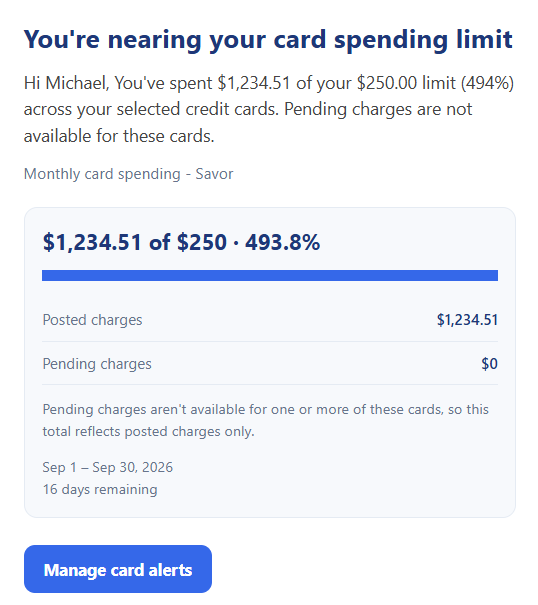
Credit Card Near Spending Limit
Know when your card budget is approaching its warning threshold, with pending charges included when available.
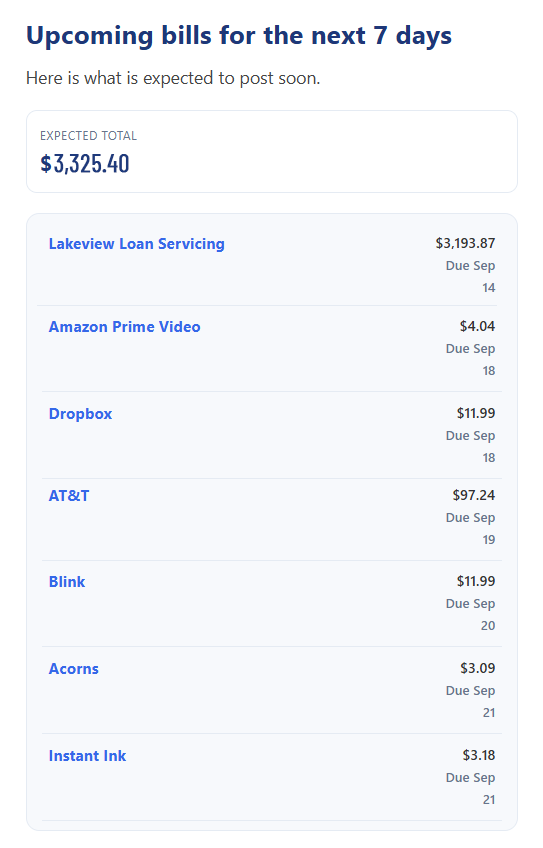
Bills Upcoming
See active recurring bills expected in the next seven days, with amounts and dates together for easier cash-flow planning.
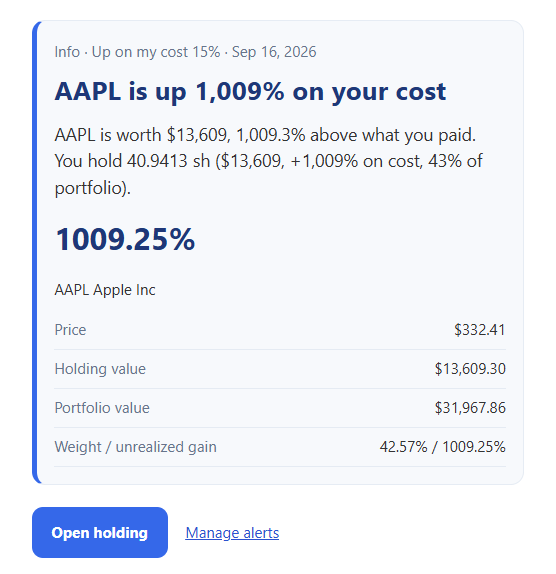
Investments Stock Up
A configured investment rule flags an upward move with the security, price, and portfolio context that make it meaningful.
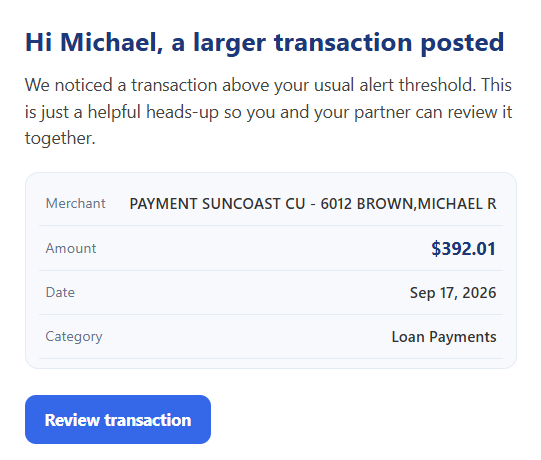
Large Transaction
A recent purchase crossed your large-expense threshold. Spot unexpectedly high spending while it is still fresh.
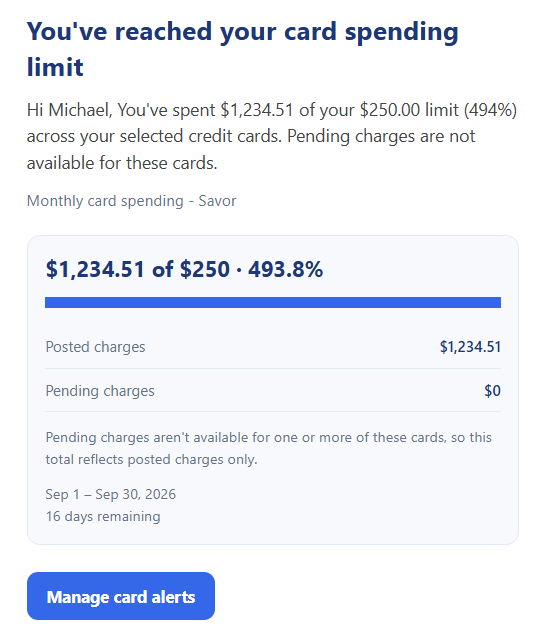
Credit Card Reached Spending Limit
Your selected cards have reached their spending budget. Get a timely nudge before more discretionary spending adds up.
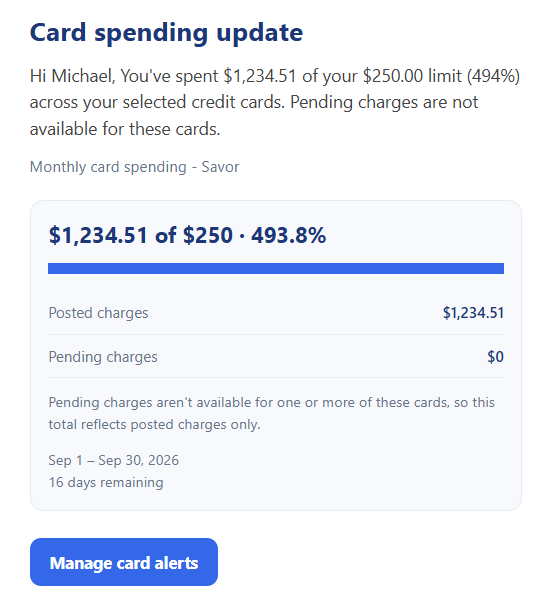
Credit Card Spend Update
Stay aware of spending across your selected cards as your configured rule tracks progress and over-limit milestones.
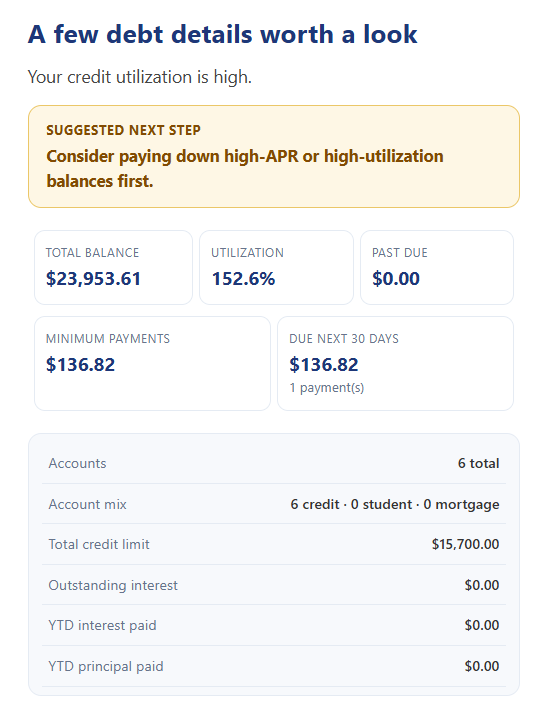
Credit Card Credit Utilization High
Understand when high revolving-credit utilization deserves attention, so you can prioritize the balances that matter.
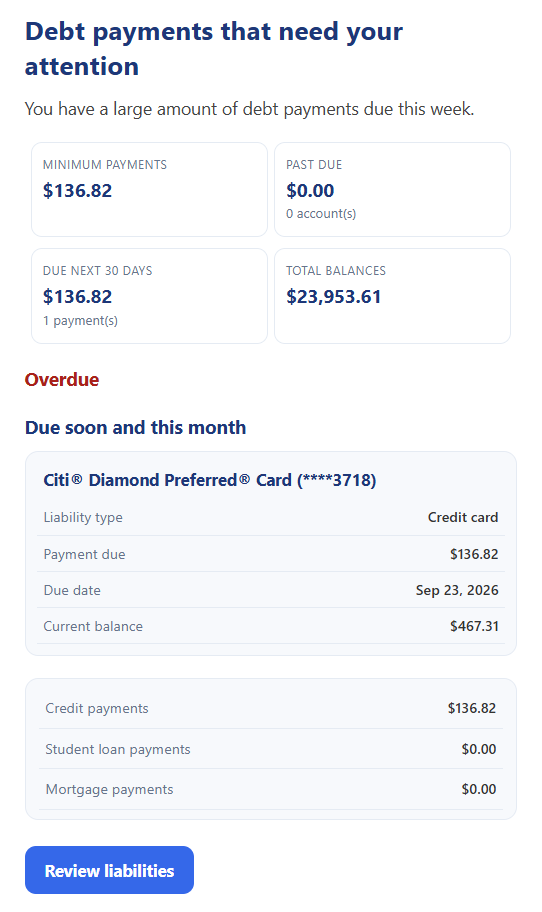
Credit Card Debt Payments Need Attention
Bring overdue, upcoming, and meaningful weekly or monthly payment obligations into one actionable reminder.
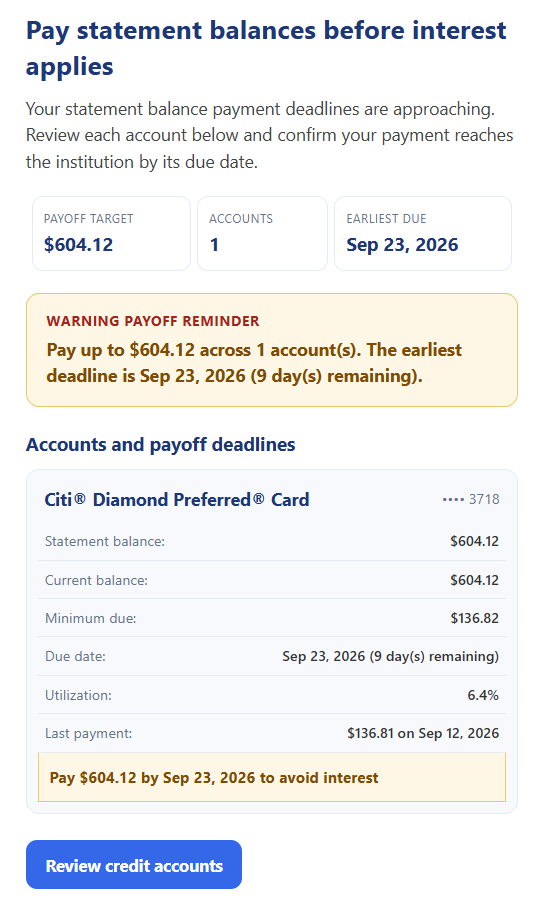
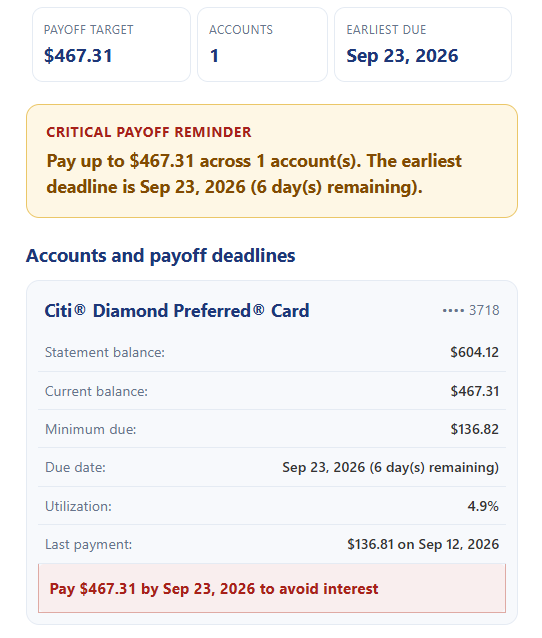
Credit Card Pay Statement Balance Before Interest Applies
A reminder to pay your statement balance by its due date, before interest becomes an avoidable cost.
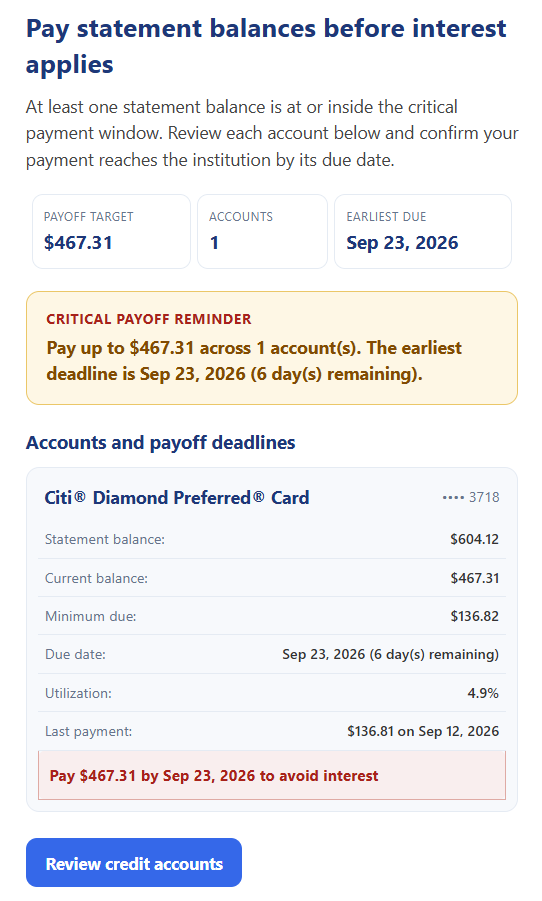
Credit Card Pay Statement Balance Before Interest Applies Critical
A higher-priority statement reminder brings an important payment deadline back into focus.
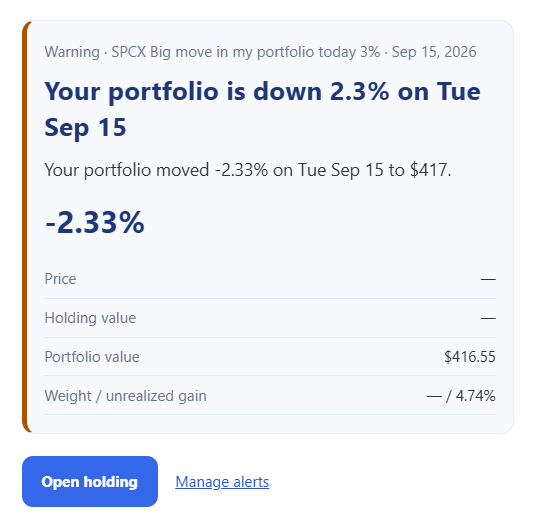
Investments Stock Down
A configured investment rule flags a downward move with relevant rule details, severity, and portfolio impact—not just a price.
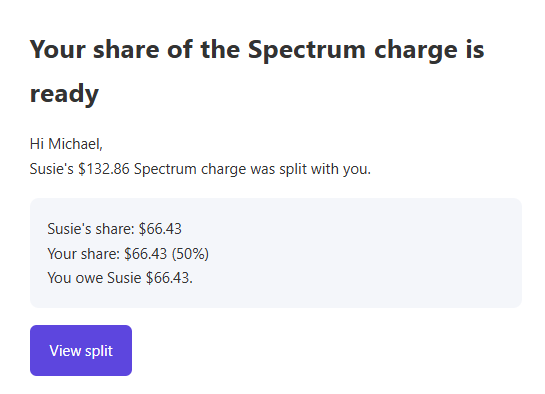
Split Share Ready For Payment
Know when a shared-expense contribution is ready for payment, keeping both partners aligned on the next step.
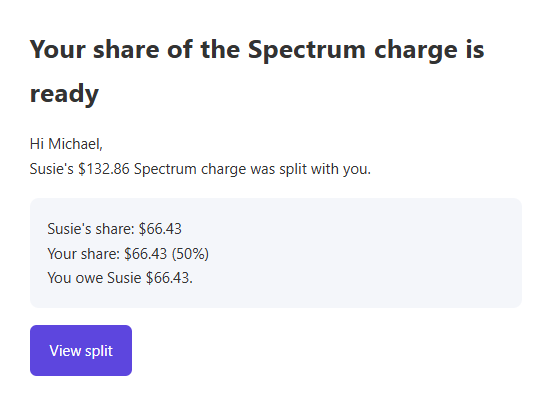
Split Update
Keep up with relevant changes to shared expenses and splits without repeatedly checking the app.
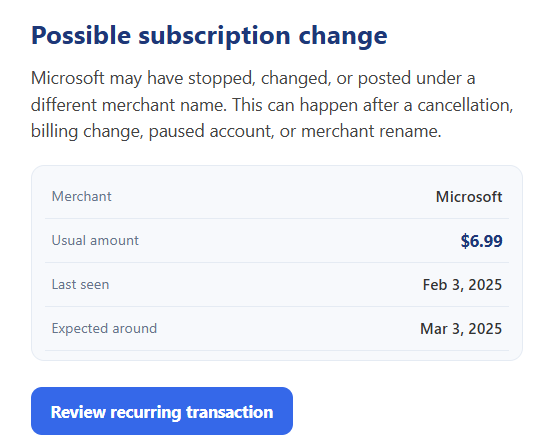
Subscription Change
A change in recurring activity prompts a closer look at a subscription, possible failed payment, or service you may no longer need.
The right nudge. The bigger picture.
Know what changed, why it matters, and where to look next. These service families span everyday cash flow, shared expenses, credit, and investments.
Large Expense Alerts
Get a heads-up when a recent purchase exceeds your configured threshold, so unexpectedly high spending is easier to spot.
Card Spending Limit Alerts
Follow warning percentages, at-limit, and over-budget events across selected cards. Pending charges count when available, helping you stay on track before the period ends.
Investment Rule Alerts
See the security, price, portfolio impact, severity, and rule behind a meaningful event—without constantly watching the market.
Weekly Investment Digest
Get portfolio value, top and worst movers, unread alerts, and highlights capped during the week in one scheduled overview.
Investment Data Quality Alerts
Find unmatched holdings, low market-data coverage, or stale prices so you can correct tickers or connections and keep insights accurate.
Unrecognized Merchant Alerts
Notice unfamiliar completed expenses. Matching names, descriptions, categories, counterparties, and locations helps reduce false positives for known merchants.
Upcoming Bills Reminder
Plan for active recurring bills expected in the next seven days with a consolidated list of amounts and due dates.
Possible Lapsed Subscription Alert
Recurrence history and follow-up transaction matching flag overdue or stopped charges, helping you investigate canceled services, failed payments, or subscriptions you no longer need.
Low Balance Warning
When combined available/current checking and depository balances fall below your threshold, get an early warning to transfer funds or reconsider spending.
Debt Payment Reminders
Bring overdue, due-soon, and meaningful weekly or monthly payment totals together to help avoid late fees and missed payments.
Debt Risk & Optimization Insights
Prioritize risks and opportunities across cards, student loans, mortgages, and cash flow: overdue balances, utilization, high APR, payment pressure, delinquency, PMI, and prepayment options.
Statement Balance / Interest Avoidance Reminders
Remember statement balances that need paying by their due dates to preserve grace periods and avoid unnecessary credit-card interest.
Increased Available Credit Alert
See meaningful increases in reusable revolving-credit capacity after a payment posts or a credit limit changes.
Split Activity Emails
Stay aligned on shared bills and contributions with relevant shared-expense and split updates.
The routine work, already in motion.
Recurring records, shared splits, and scheduled rule checks keep working when the app is closed. These automations organize and monitor your finances; they do not move money or pay bills.
Automatic Recurring Transactions
Scheduled active manual income and expenses are created when due, with duplicate prevention—less data entry, more up-to-date records.
Automatic Recurring Expense Splits
Eligible recurring shared expenses create split records automatically, reducing repetitive work for the bills you regularly share.
Card Spending Rule Evaluation
Periodic checks of active spending rules create durable in-app and email alert events, even when you are not using the app.
Investment Alert Evaluation
Scheduled activity and market checks provide evaluation backstops, while alert retention helps keep the feed relevant.
Recurring Bill Detection
Mature and early-detection recurring streams power upcoming-bill and lapsed-subscription reminders for proactive cash-flow planning.
Helpful updates. Not inbox overload.
Your preferences shape what arrives. Delivery controls help keep important updates timely and repeat messages out of the way.
User Email Preferences
Enable or disable notification types per user. Receive the financial updates you care about without unnecessary email.
Duplicate Prevention
Event- and time-based checks prevent repeat emails for the same insight, with daily, weekly, or monthly cadence where appropriate.
Priority-Based Delivery
Critical and warning alerts are prioritized ahead of lower-urgency insights, bringing important issues forward.
Consolidated Alerts
Multiple bills, accounts, or debt issues are grouped into an actionable message for a clearer picture and a less cluttered inbox.
Secure Deep Links
Go straight to the related transaction, recurring bill, card rule, investment dashboard, or liabilities view on the website to review and act.
Make it work your way.
- Connect your accounts or add your manual recurring items. Share only the accounts and expenses you choose.
- Set the spending, balance, and investment rules that matter to you. Choose which notification types you receive.
- Let scheduled checks do the watching. Follow an email's secure link to review the details and take action in Chip In.
Your money. A little more connected.
Explore Email Alerts & Automation in Chip In and make your preferences your own.
Email examples are illustrative, not a complete alert catalog. Availability depends on your plan, preferences, configured rules, and financial-institution data. Pending charges and market data may be unavailable or delayed. Unfamiliar-merchant alerts are not a guarantee of fraud detection. Chip In does not provide investment, tax, or legal advice, move money, or pay bills through these automations.