


More intelligence.
Less on your mind.
Our most feature-packed release yet. Chip In 4.0 does the thinking before you open the app: a daily Smart Signals feed ranked by urgency, an AI tab that writes the questions worth asking from your own data, Recurring rebuilt around what's due before payday, Needs Review with one-tap AI category fixes, a Dividends tab, credit-cycle insights, and an Accounts dashboard rebuilt top to bottom. Every area reimagined, in light and dark.
Every area, meticulously reimagined. A new UI, deeper daily insights, and improvements to performance and stability throughout.
Fourteen things 4.0 does before you ask.
Every card is the real app, light and dark, with the moment Chip In hands you the answer. Swipe through, or just watch.


You don't have to think about it.
It already has.
Every screen below is the real app. Watch each one do the work: rank the day, write the question, forecast the month, find the loose ends, and remember what you decided.
Your day,
already ranked.
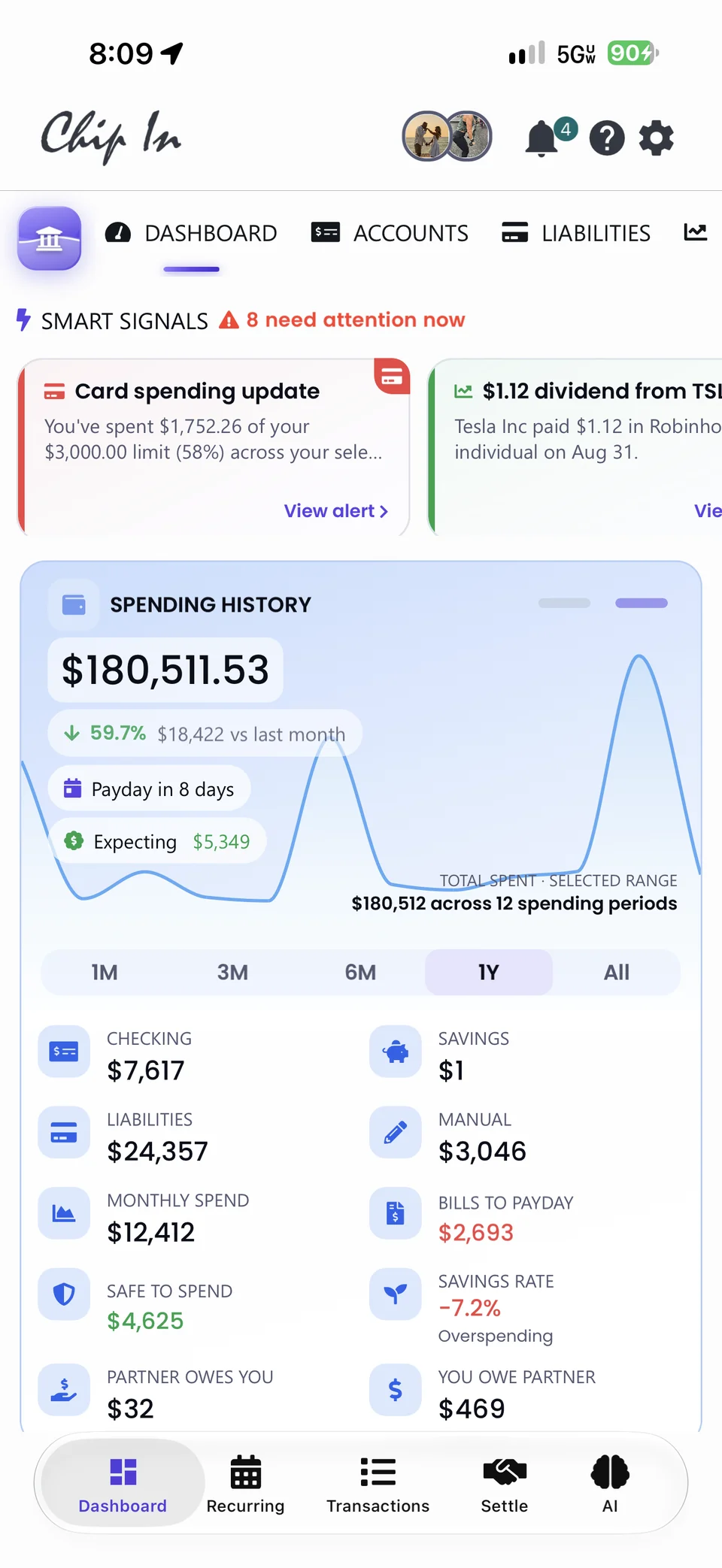
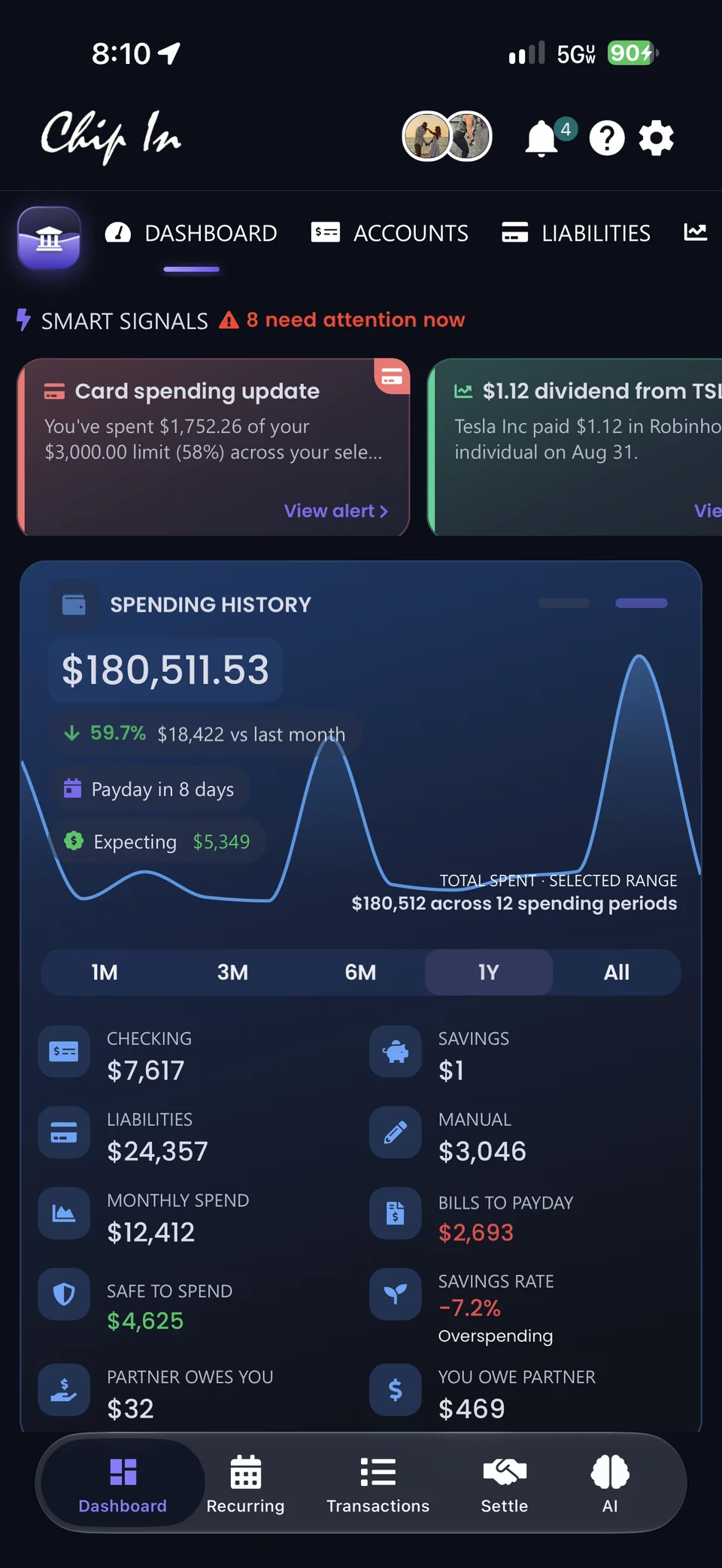
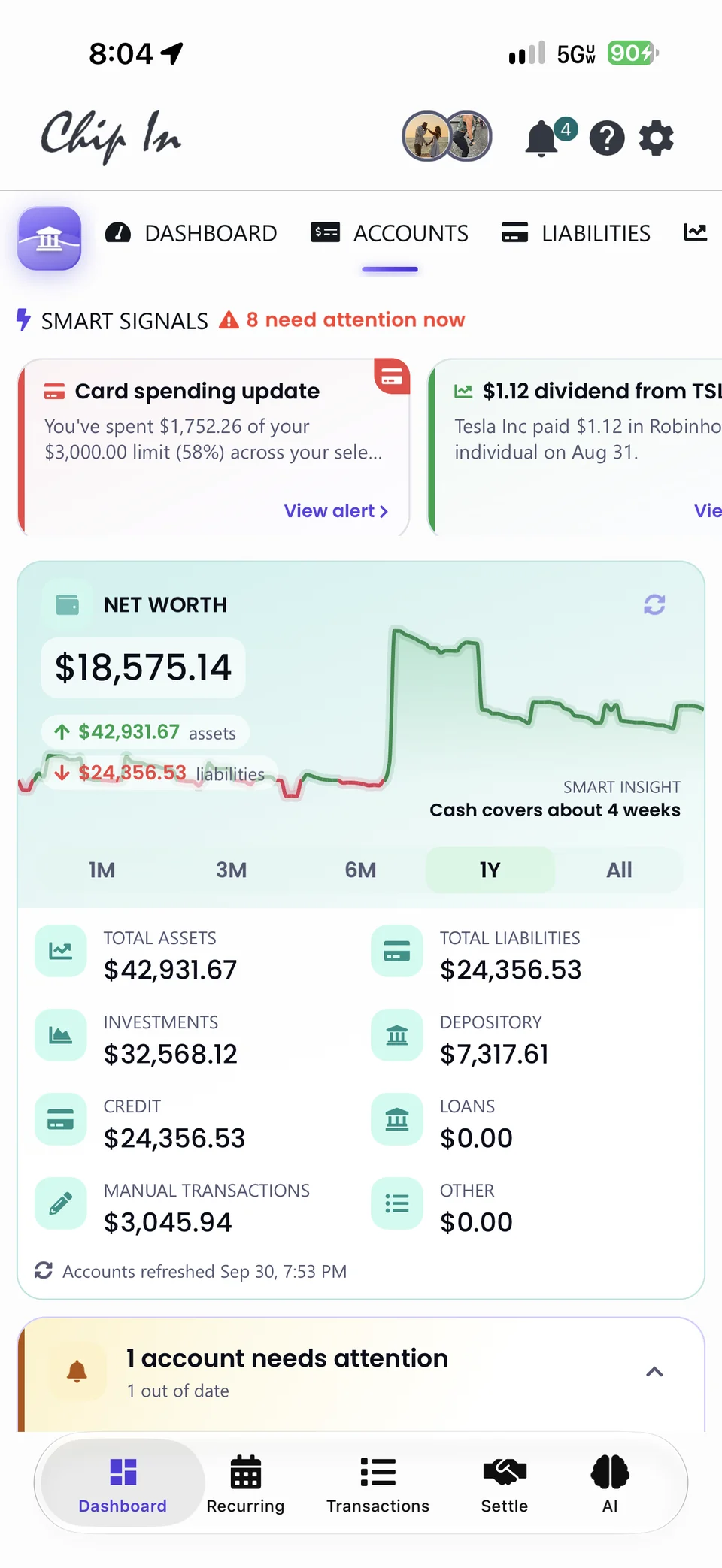
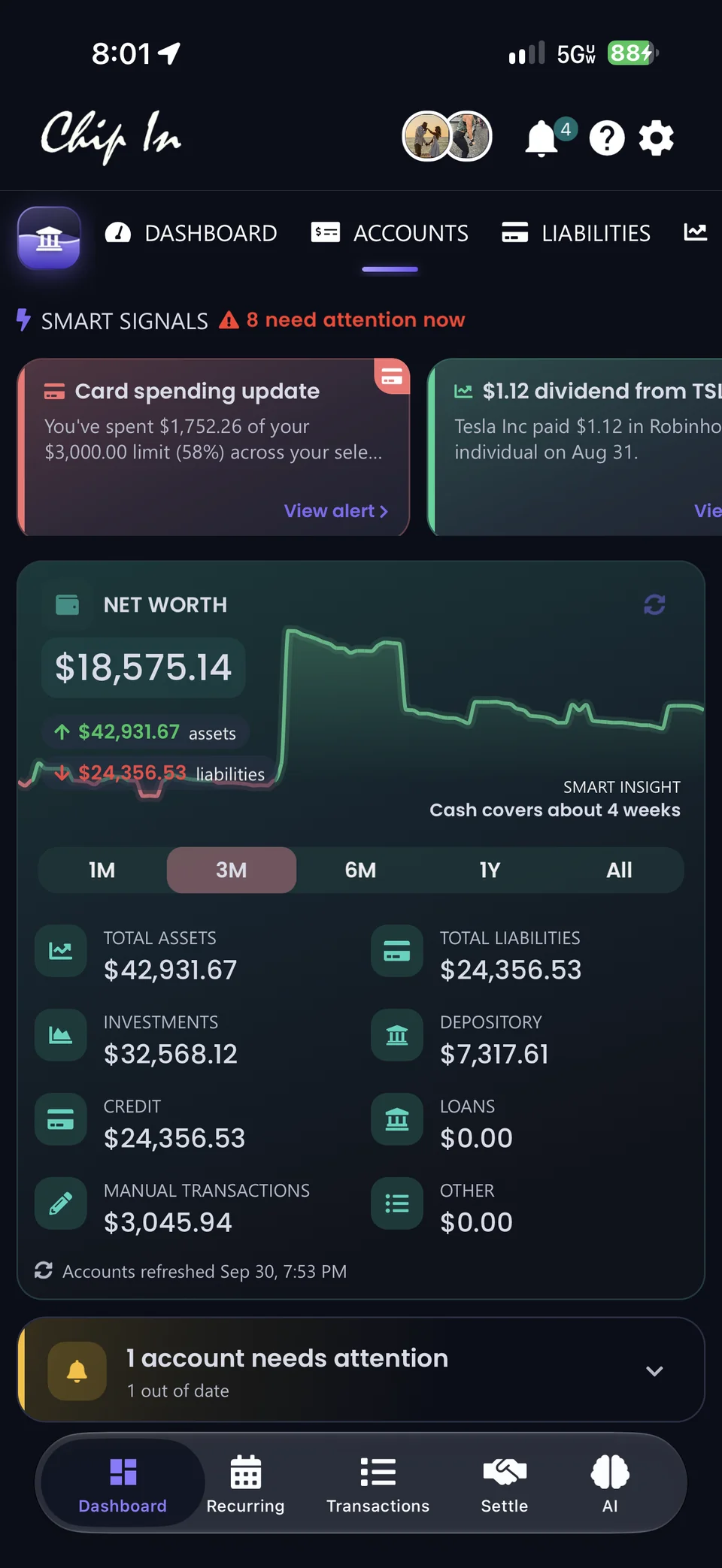
Open Chip In and the important changes are waiting, in order: the most urgent first, the dollars at stake on each, and a next step. No digging. Tap one for the AI analysis.
- The right thing rises to the top.Unusual charges, approaching renewals, a cash shortfall, investment activity. Home and Accounts share the bigger picture; Recurring keeps to your bills.
- One tap, the whole story.What this means, the next move, and an AI analysis with the bottom line, what we noticed, and the next steps, at high confidence.
- Hide it for a week when it can wait.Signals you've handled fall away. New ones take their place as your data refreshes.
- Card spending update · 58% of your limit
- $1.12 dividend from TSLA
- Safe to spend · $4,625


The question,
already written.
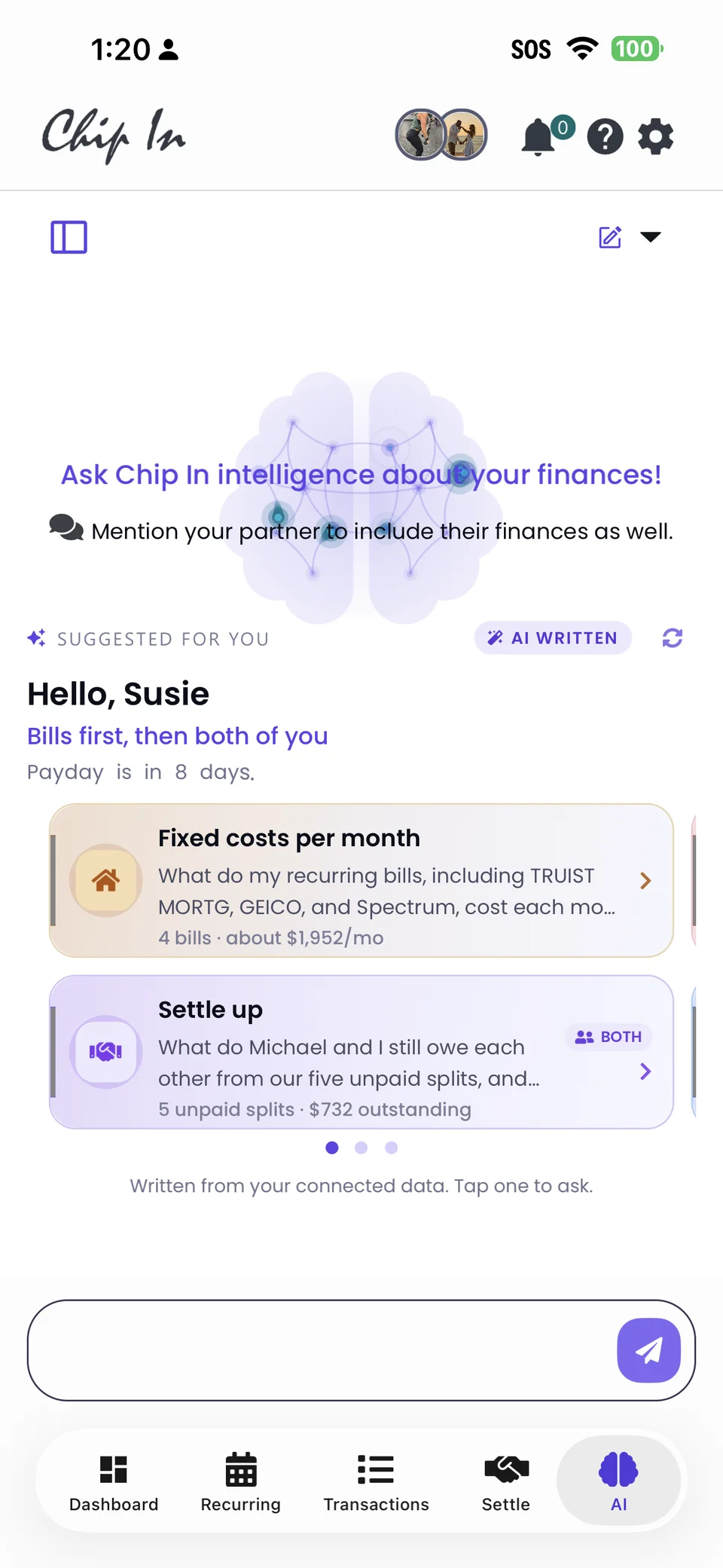
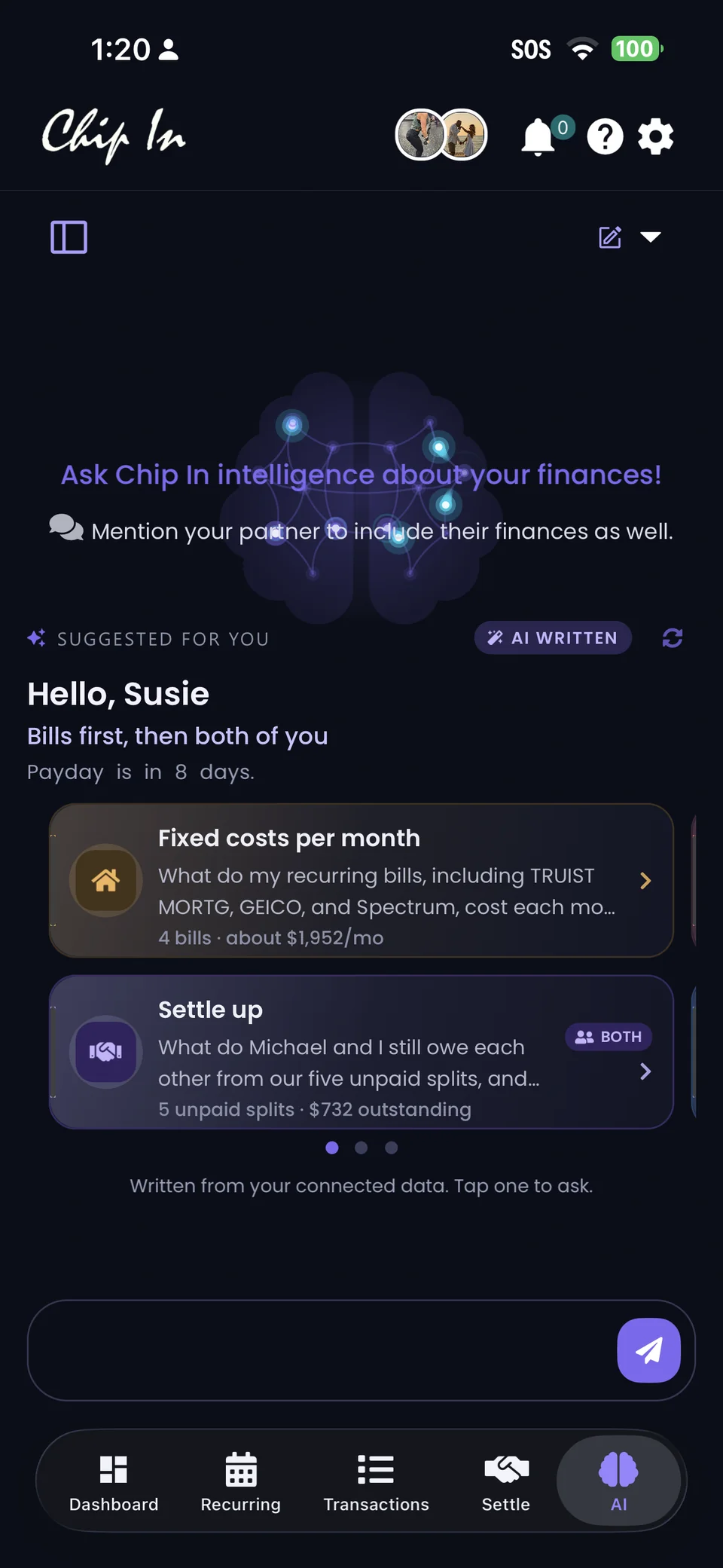
Every time the AI tab opens, Chip In reads your connected data, and what your partner shares, and writes the questions worth asking today. Tap one. The grounded answer, chart included, follows.
- A greeting with a point.Hello, Susie. Bills first, then both of you. Payday is in 8 days. The lead line sets the order; the cards do the rest.
- Both of you, by permission.Suggestions tagged Both draw on the accounts, bills, and splits your partner shares. What stays private never shapes a suggestion.
- Ask for a chart, get a chart.Detail my splits between me and Susie as a chart: a donut with the total in the middle, every slice grounded in your ledger.
- Fixed costs per month · 4 bills · about $1,952/mo
- Settle up · Both · 5 unpaid splits · $732
- Written from your connected data


Your month,
already forecast.
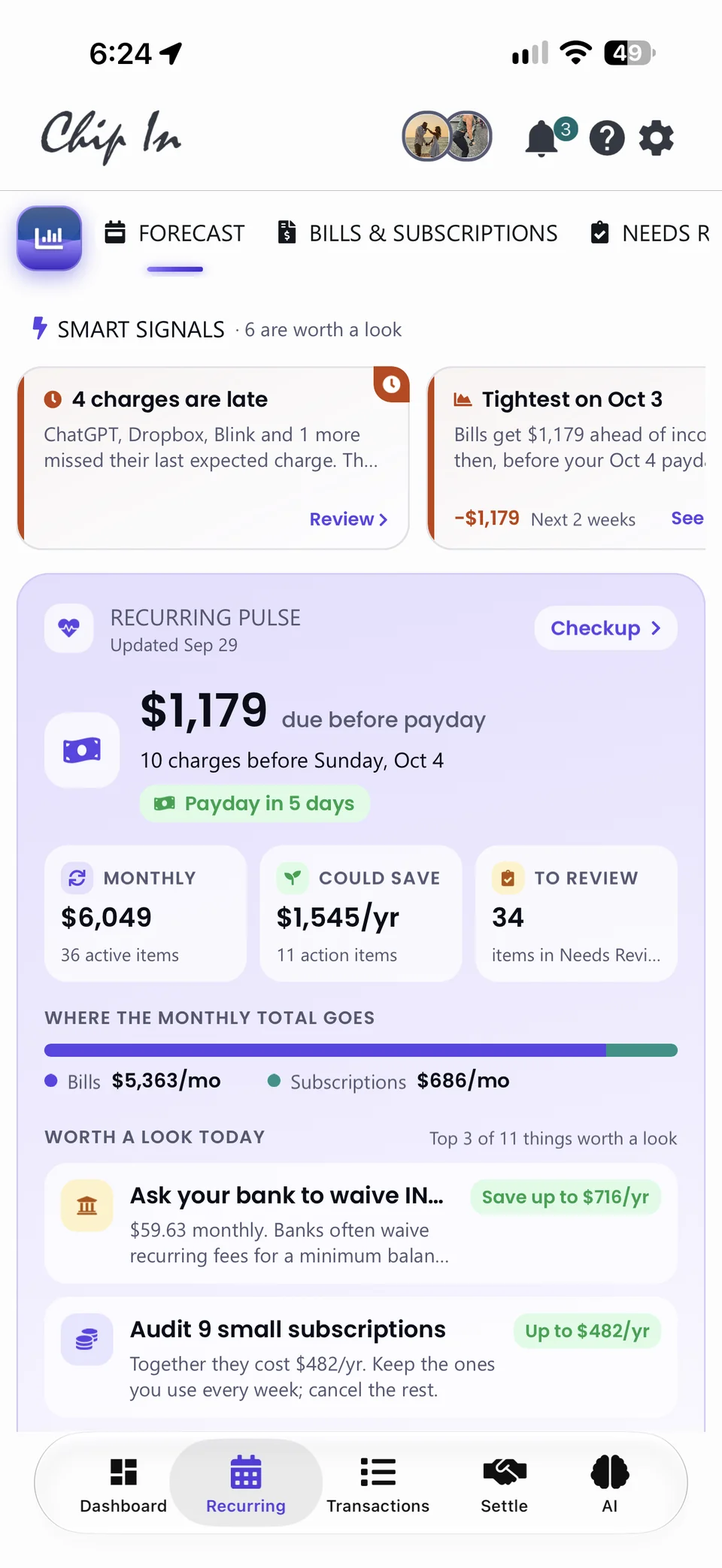
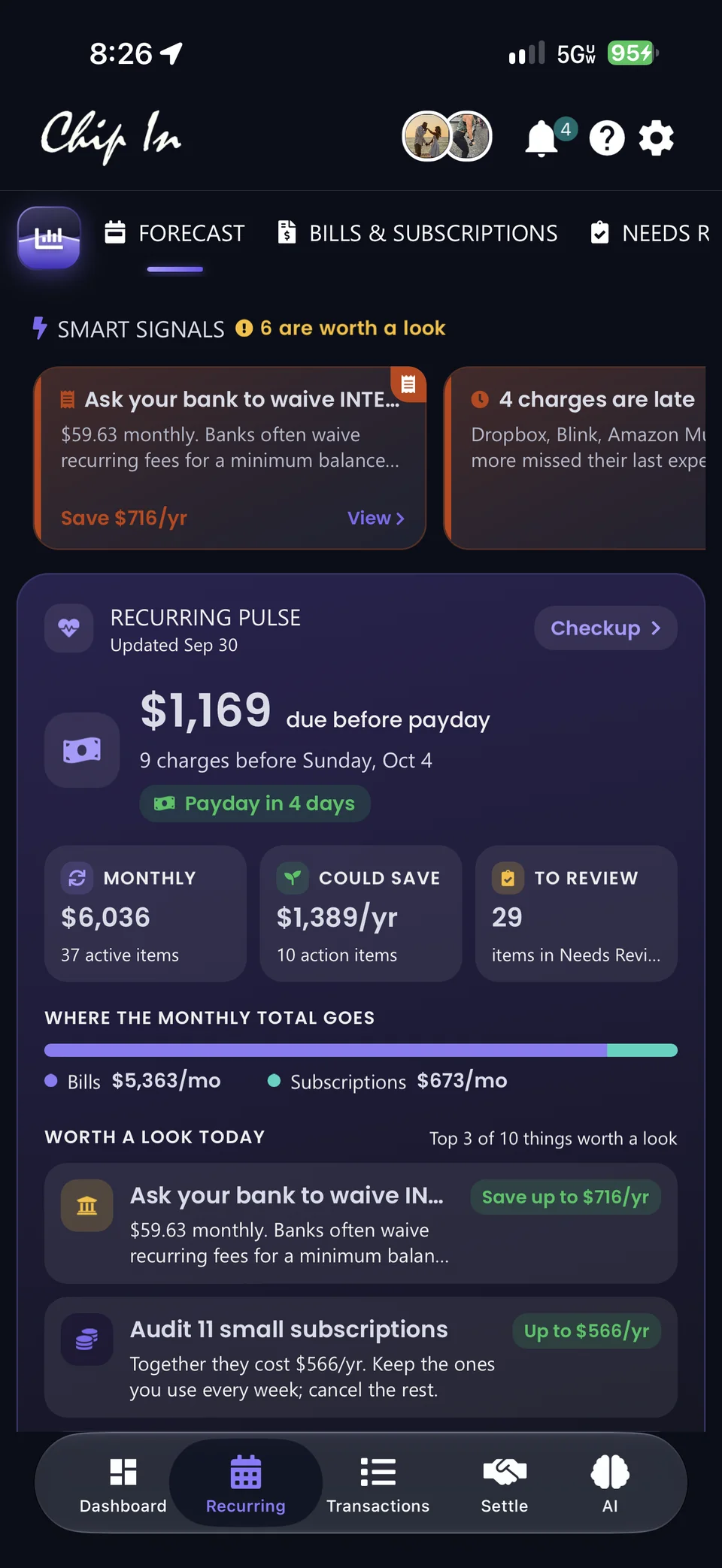
Forecast. Bills & Subscriptions. Needs Review. Three clear places for the money that comes around again, with Recurring Pulse on top: what's due before payday, what you commit to monthly, and what you could save.
- Your quick read, in Recurring Pulse.$1,179 due before payday, 10 charges before Sunday. Monthly commitments, potential savings, and the items to review, together at the top.
- See the tight spots before you get there.A two-week calendar puts merchant logos, daily totals, and paydays in view. Look ahead 14, 30, or 90 days with a running cash-flow line and its low point.
- Every price change, caught and costed.+$54.00 a year in increases, two prices that went down, nine unusual charges. The old price, the new price, and the date it moved.
Forecasts use reported recurring activity and income. They are projections, not a promise of your future balance.


The loose ends,
already found.
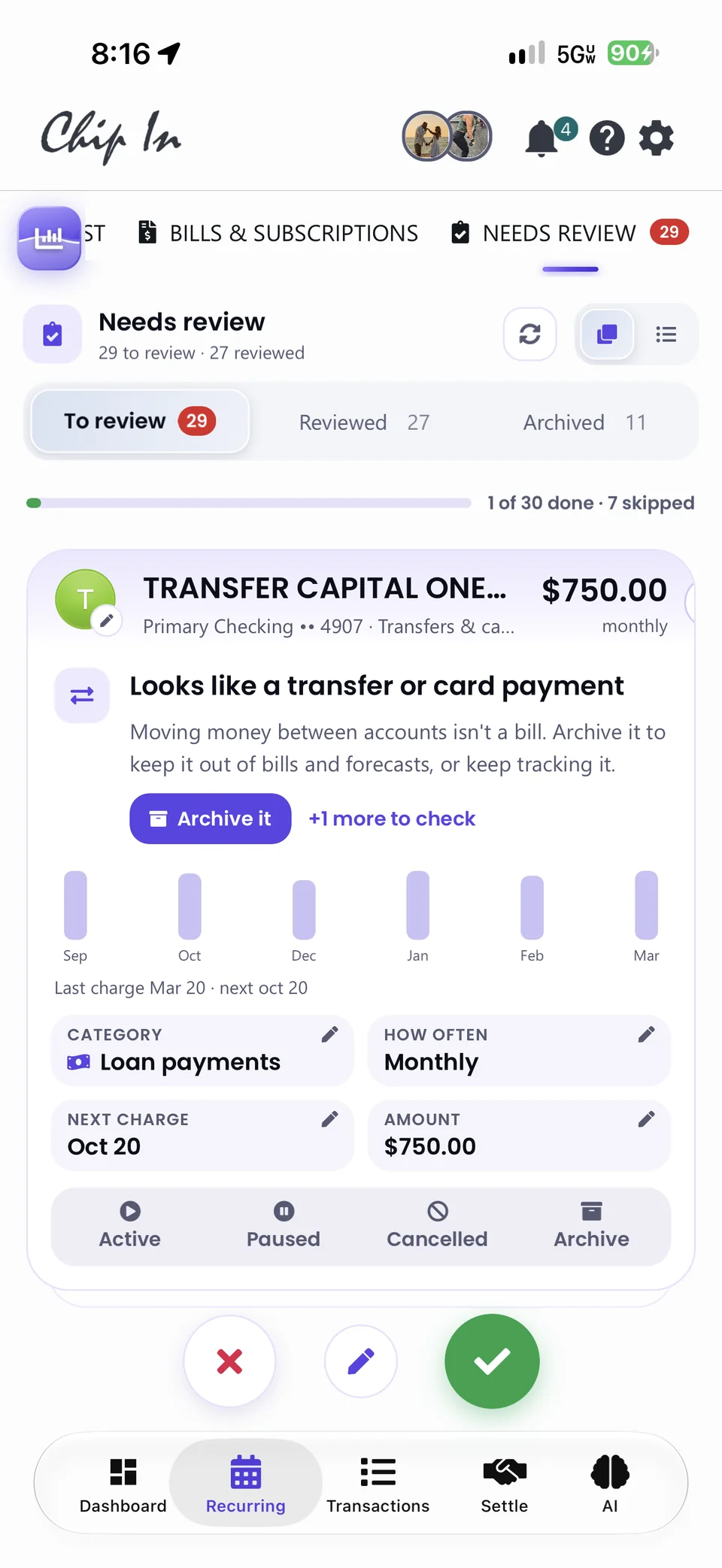
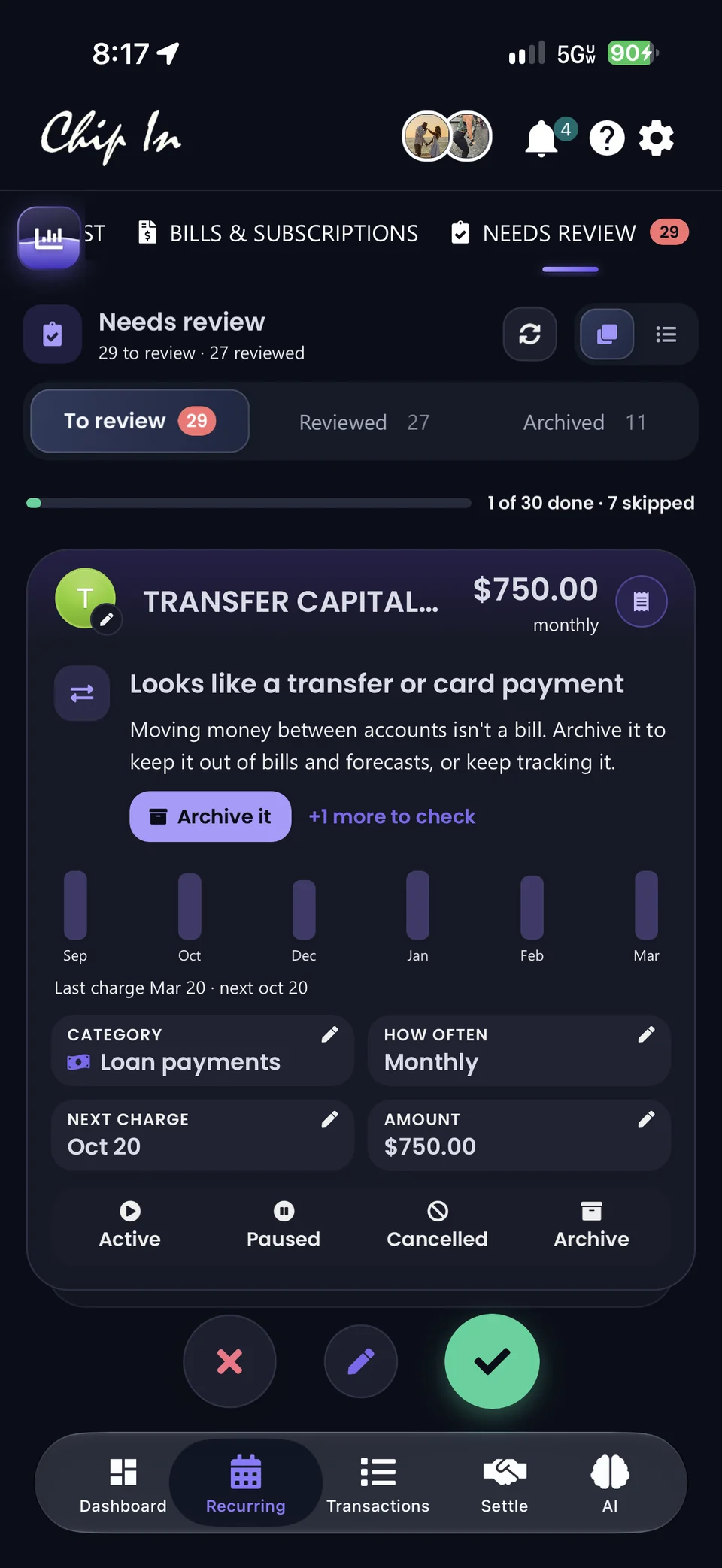
Chip In spots the transfer pretending to be a bill, the category that doesn't match its charges, and the subscription that quietly stopped. You swipe, tap, or skip. It does the bookkeeping.
- Swipe right to review. Left to skip.Every card tells you what happened, the next step, and the charge history. Archive a transfer, keep tracking a bill, rename a bank code.
- The right category, without the detective work.AI scans every expense, income, bill, and subscription and recommends a better match when something looks off. Yes updates the item and every linked charge.
- Stopped, paused, cancelled, archived.Items that miss two charges in a row stop counting, with Count it again when a bill is only late. 31 items, $1,807 a month, kept out of your totals.
AI recommendations are suggestions. You choose which changes to apply.


Every account,
already in its place.
A real directory for your financial life. Search a name, a bank, or the last four digits. Filter cash, credit, or investments, pick an owner, group by type or institution, and open any account's story without losing your place.
- Find it your way.14 accounts across 9 institutions, found in a keystroke. Everyone, Mine, or Susie. Group by type or by bank, and give accounts names you recognize.
- More than a balance.Balance history over 30 days, 90 days, or a year, with the low and the high, freshness, and the change since you added it.
- Reconnect with confidence.Attention notices surface connections that need you, with the same reconnect path across the app.
The why,
already explained.
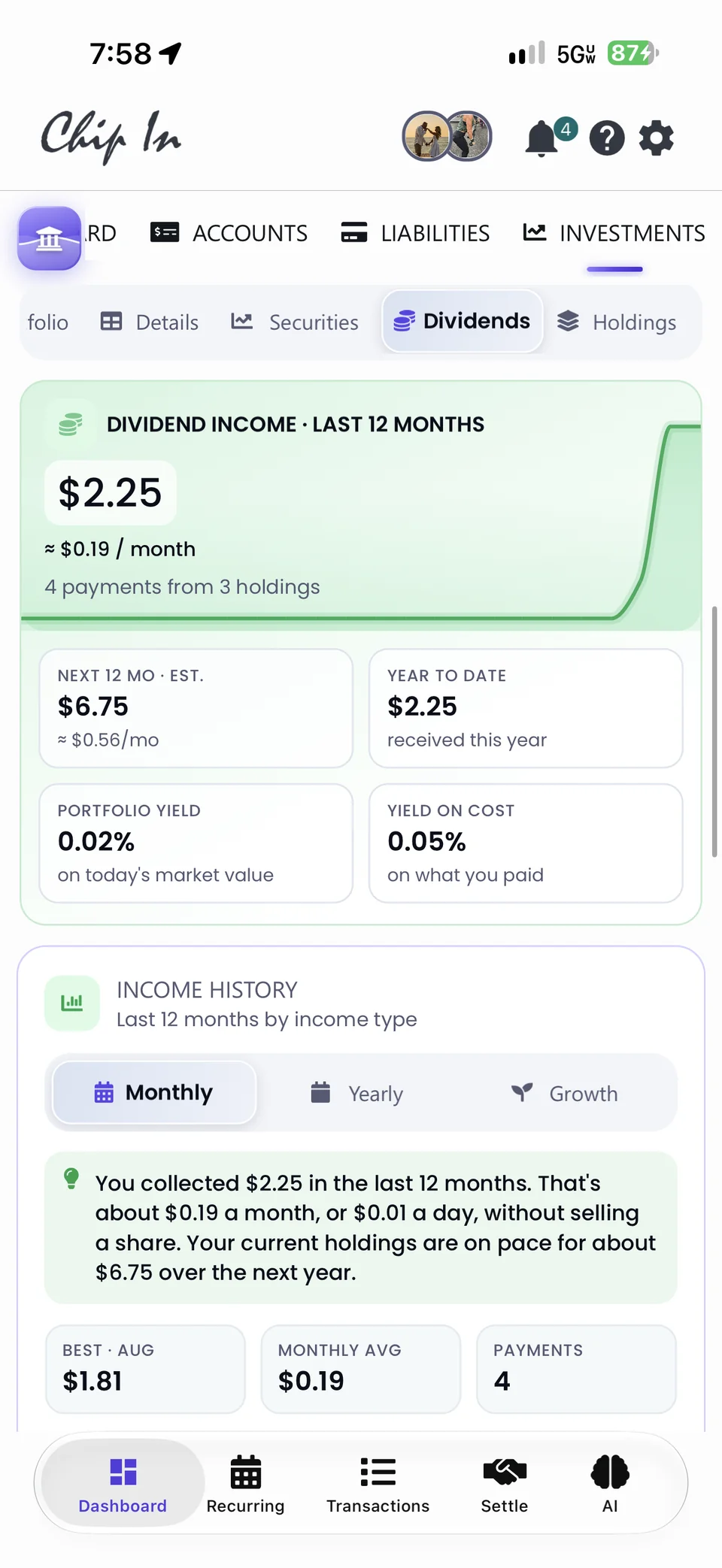
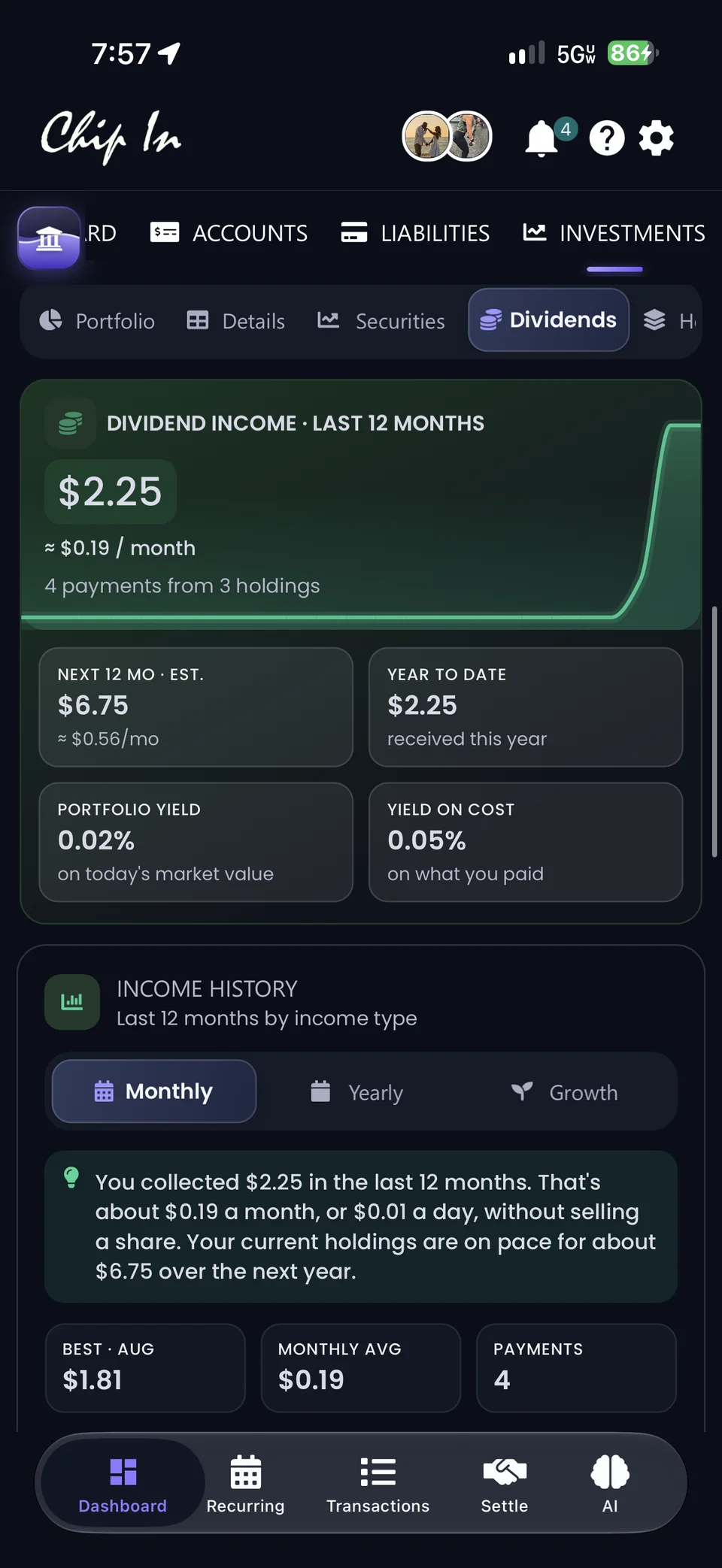
Monthly returns, drawdowns, gain drivers, and dividend income turn a portfolio into a story you can read in a sentence. The months that moved you, the holdings doing the heavy lifting, and the income you didn't have to work for.
- Three ways to read your performance.Up in 8 of the last 11 months, averaging +2.1%. Drawdown puts the dips in context. Drivers names the holdings behind the gains.
- Meet the Dividends tab.Trailing 12 months, the next 12 estimated, portfolio yield and yield on cost, income by holding, and what's coming up.
- Alerts that watch for you.Big moves, concentration, and new activity surface as Smart Signals and investment alerts, so you don't have to keep checking.
Investment connections require All Access. Performance estimates use current quantities and historical prices; deposits and withdrawals are not counted as returns. Upcoming dividends are projections based on reported history.


The due date,
already in view.
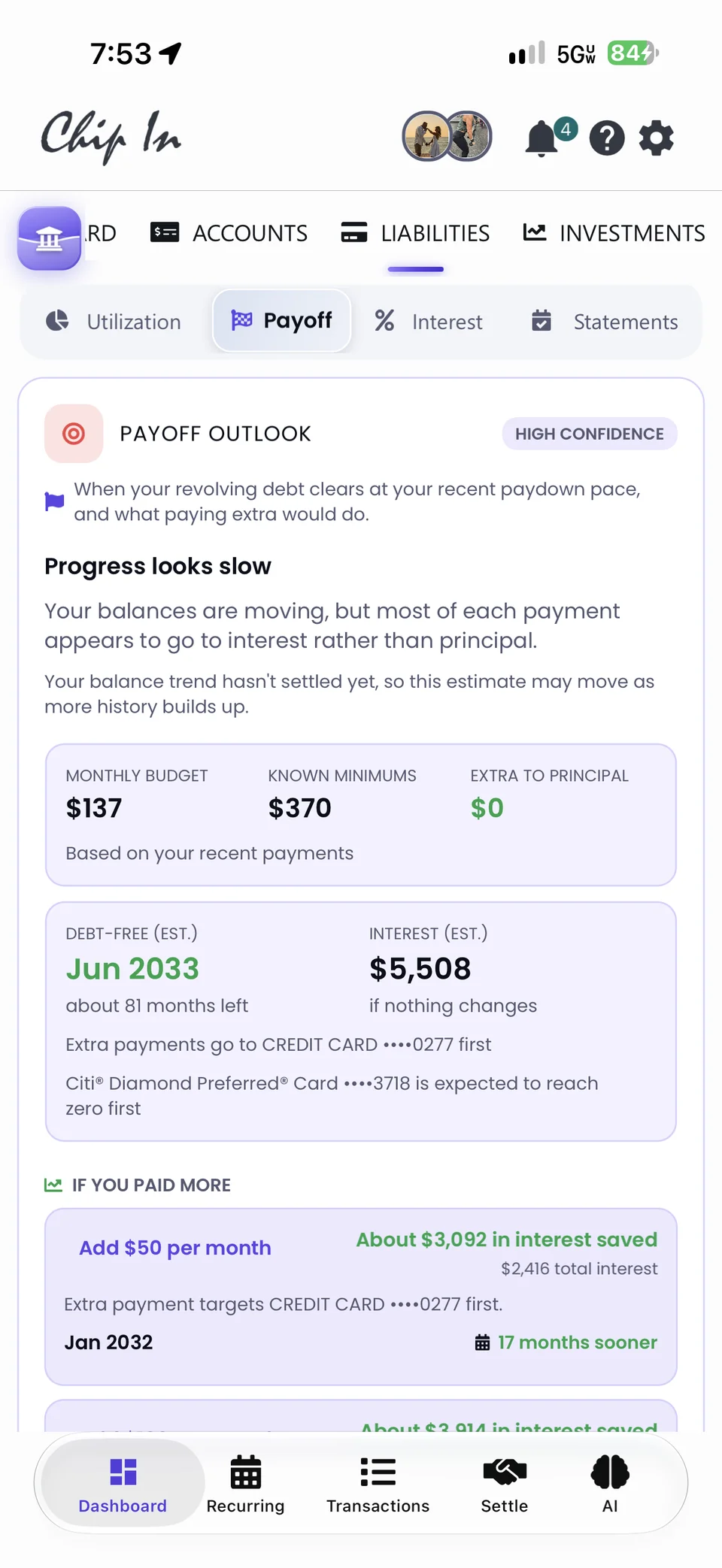
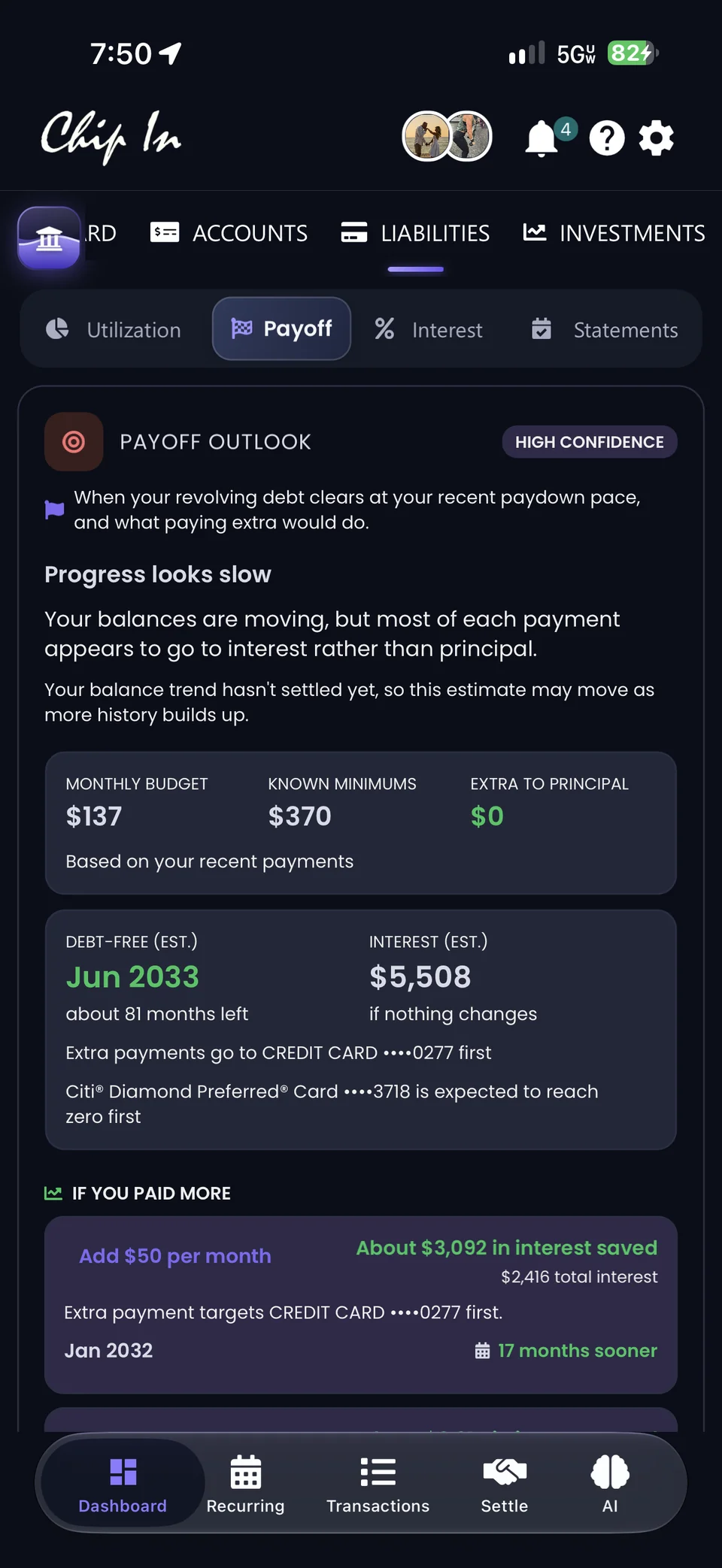
Utilization, Payoff, Interest, and Statements each have a place. Credit-cycle insights bring the timing into focus, from where you are in the statement to the day interest would start.
- Pay before interest applies.Statement cycles and grace periods per card, the balance to pay in full, the minimum, and the due date in your local time.
- Your debt-free date, worked out.The Payoff Outlook compares paying only the minimum with a plan, names the card to clear first, and shows what an extra $50 a month saves.
- See what the minimum means.Monthly interest share, your costliest card, promotional APR details, and required payments with clearer no-data states.


Your edits,
already remembered.
Thoughtful changes to the things you do most, from naming a transaction to closing the loop on a split. Chip In keeps what you decided, through every sync and every charge.
- Fewer do-overs.Rename a transaction, fix its category, tick Update all instances, and Keep my changes holds it through every Plaid sync. Reset to Plaid whenever you want.
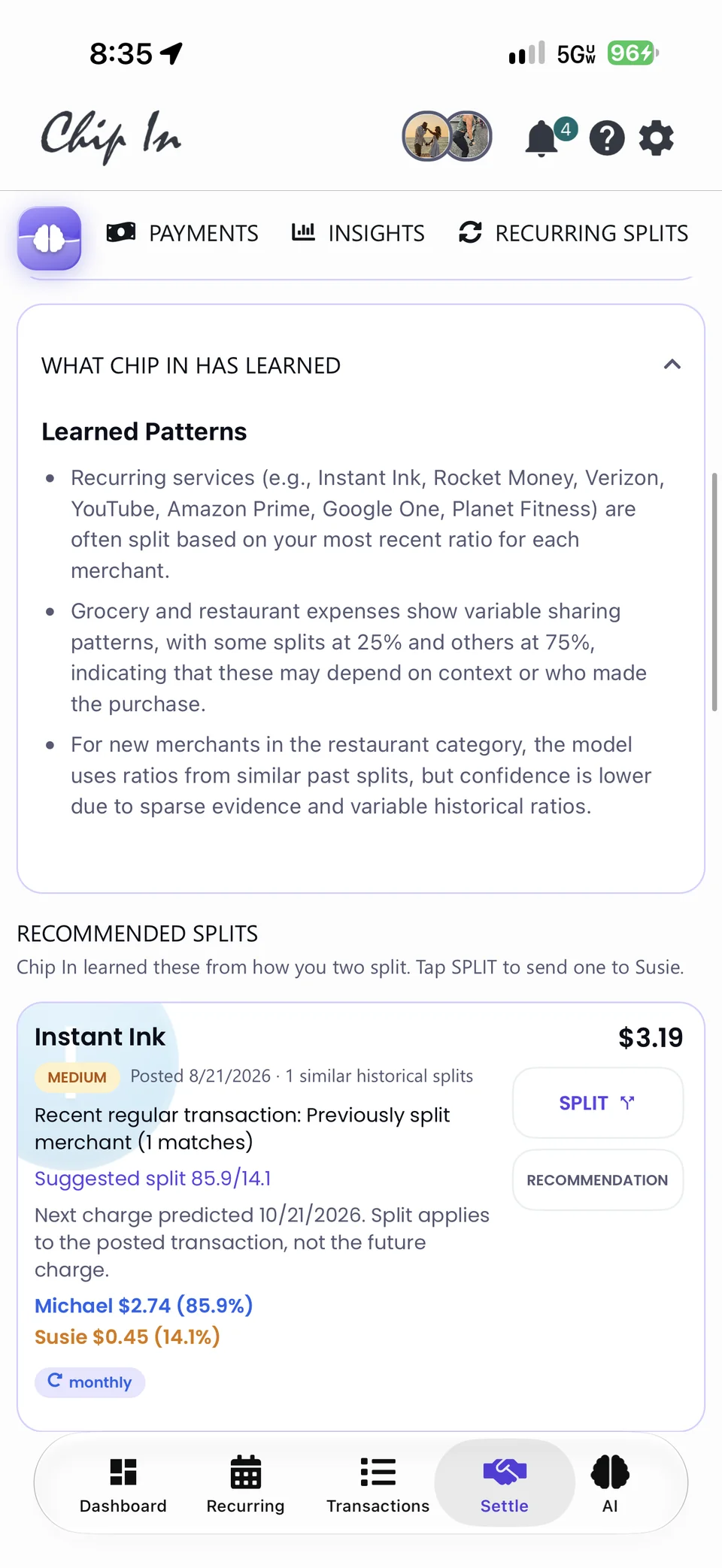
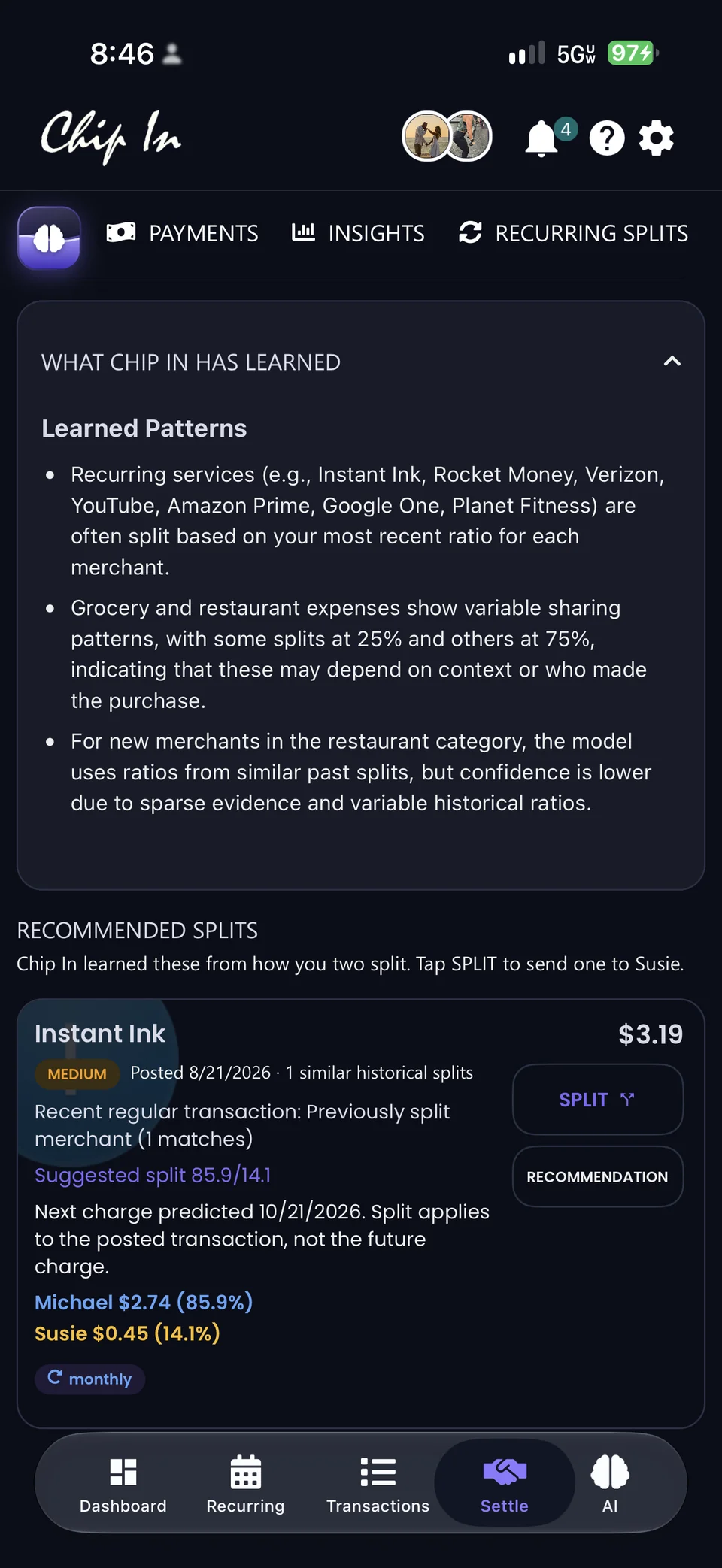
- Split once. It remembers.History follows the state: share, already split, settled, or Auto Split. Instant Ink splits 86 / 14 with Susie by itself, every month.
- Settle up in one tap.Batch-select the splits you owe, pay 5 at once, filter by payment method, and reverse one when plans change.
Every area. Reimagined.
A new UI throughout, refreshed Reports and Notifications, and a Settle Up that learns how the two of you split.
It learns how you two split.
Chip In notices that Instant Ink splits 86 / 14 and that groceries vary, then recommends the split before you ask. Settle insights add the picture: $46.52 settled, $424.31 pending, and 4.4 days from split to payment.


Follow the money over time.
Income, expenses, cash flow, categories, and savings rate across any range: $28,017.63 net income and an 8% savings rate, on track.


Alerts, restyled.
A hero glow, translucent rows, and Alerts, Sync, and App tabs: card spending updates, dividends as they land, and your portfolio's move today.


Your sharing choices stay in your hands.
Partner Sharing is one switch per kind of data: accounts, transactions, recurring. Shared Accounts picks exactly which ones your partner can see, so Citi and Robinhood can be shared while Discover and Truist stay private.


Meticulously crafted.
For a better everyday.
A new UI throughout, built to bring more financial insight into each day, in light and dark.
- A whole new feel. Sliding menus, a living glass launcher, softer sheets, refreshed Reports and Notifications, and polished light and dark themes.
- Faster from the first moment. Sign-in opens Home. Dashboard cards arrive as they’re ready, and deeper sheets load when you need them.
- More dependable behind the scenes. More resilient sync, faster transaction paging, popup stability improvements, remembered sorting, and posted charges that replace pending duplicates.
See what makes it different.
Your day, already ranked.
The Smart Signals feed sits at the top of the dashboard: the most urgent first, each with the dollars at stake and a View alert link. Below it, spending history, payday, and what's safe to spend.
Make it work your way.
- Update Chip In on your iPhone and open your dashboard. Start with the Smart Signals feed to see what needs attention and where to go next.
- Open the AI tab. Your suggested questions are already written from your connected data; tap one, or ask anything in plain English.
- Open Recurring for Forecast, Bills & Subscriptions, and Needs Review. Swipe through the review deck, apply the AI category fixes you agree with, and let the Checkup work through savings at your pace.
- Explore the rebuilt Accounts directory, Performance Insights and Dividends in Investments, and credit-cycle insights in Liabilities. Your sharing choices stay in your hands.
Your money. A little more connected.
Explore Chip In 4.0 in Chip In and make your preferences your own.
Screenshots and animated demos use illustrative accounts and figures. Forecasts, projected dividends, balances, and alerts depend on the data reported by your institutions. Performance Insights estimate returns using current quantities and historical prices; deposits and withdrawals are not counted as returns. AI suggestions, AI analysis, and investment connections require All Access. See Plans & Pricing for availability.